TL;DR: Instanavigation tools let you watch Instagram stories without the poster knowing. This guide explains how they work, the risks involved, and how to protect your own privacy — all in plain English.
You know that little feeling when you accidentally tap someone’s story and your name pops up in their viewer list? It’s awkward. Maybe you were just curious. Maybe it was a total accident. Either way, your cover is blown.
That exact frustration is why tools like Instanavigation have exploded in popularity over the last couple of years. People want to browse social media content without leaving a digital footprint, and anonymous story viewers promise exactly that. But do they actually work? Are they safe? And should you be using one at all?
This guide breaks down everything you need to know — no tech jargon, no fluff.
Quick Overview
- Anonymous story viewers let you watch Instagram stories without appearing in the viewer list.
- Most tools work through a web browser — no app download required.
- They only work on public profiles, not private accounts.
- Free versions often come with ads, pop-ups, or data collection.
- Instagram’s terms of service technically discourage third-party scraping tools.
- Your own privacy may be at risk when using these platforms.
What Is Instanavigation and How Does It Work?
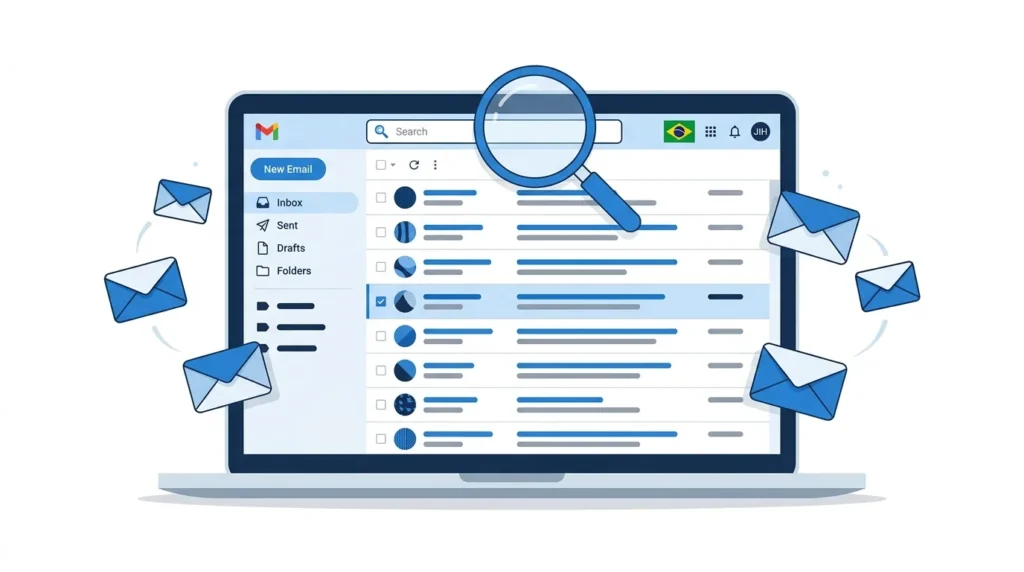
At its core, Instanavigation is a category of web-based tools that pull publicly available Instagram stories and display them outside the official app. When you view a story through one of these platforms, Instagram’s servers don’t register your personal account as a viewer. That means the person who posted the story never sees your name.
The mechanics are simpler than you might think. These tools use Instagram’s public-facing data — the same data your browser loads when you visit a public profile without logging in. They essentially act as a middleman, fetching the story content and presenting it to you on their own webpage.
Here’s a basic breakdown of the process:
- You enter the Instagram username of the person whose story you want to see.
- The tool sends a request to Instagram’s public servers.
- Instagram returns the story media (photos or videos) because the profile is public.
- The tool displays that media on its own interface, completely detached from your account.
Because your Instagram login credentials are never involved, there’s no link back to you. It’s similar to reading a public blog post — the author knows someone visited, but not specifically who.
Worth noting: this only works for public accounts. If someone has set their profile to private, no third-party tool can legitimately access their stories. Any site claiming otherwise is almost certainly a scam.
Why Do People Use Anonymous Story Viewers?
The reasons are more varied — and more ordinary — than you might expect. It’s not all about snooping on exes (though, sure, that happens).
According to a comprehensive study by the Pew Research Center on Americans and privacy, roughly 79% of adults say they are concerned about the way companies use their personal data. That general unease about digital tracking bleeds directly into how people interact with social media.
Here are the most common reasons people turn to anonymous viewing:
- Professional research. Marketers, journalists, and brand managers often monitor competitor activity or track influencer content without wanting to signal interest publicly.
- Personal curiosity without commitment. You might want to check on a former coworker, a distant relative, or someone you just met — without it feeling like a “statement.”
- Avoiding awkwardness. If you’re in a complicated social situation (a breakup, a workplace dispute, a family disagreement), leaving a view on someone’s story can create unnecessary drama.
- Content saving. Some tools let you download stories for reference, which is useful for designers, content creators, or anyone building a mood board.
- General privacy preference. Some people simply don’t want their browsing habits tracked by anyone — including the people they follow.
None of these reasons are inherently malicious. The tool itself is neutral. It’s the intent behind its use that determines whether it crosses a line.
How to Use Instanavigation: A Step-by-Step Guide
Getting started takes about 30 seconds. Most anonymous story viewers follow the same basic workflow, so once you’ve used one, you’ve essentially used them all.
Step 1: Open the tool in your web browser.
You don’t need to download anything. Just navigate to the website on your phone or computer. Using a browser you don’t normally log into Instagram with adds an extra layer of separation.
Step 2: Enter the exact Instagram username.
Type the handle of the public account you want to view. Double-check the spelling — even one wrong letter will pull up the wrong profile or return no results.
Step 3: Select “Stories” from the available options.
Most tools also let you browse posts, reels, or highlights. Click on the stories tab to see active stories posted within the last 24 hours.
Step 4: View or download the content.
The stories will appear in a slideshow format. You can tap through them just like you would in the Instagram app. Many tools also include a download button if you want to save a specific image or video.
That’s it. No login, no password, no account linking. If a site asks for your Instagram credentials, close the tab immediately. That’s a red flag.
Instanavigation vs. Other Story Viewer Tools
Not all anonymous viewers are built the same. Some are fast and clean. Others are cluttered with ads or suspicious pop-ups. Here’s how Instanavigation stacks up against a few popular alternatives:
| Feature | Instanavigation | StorySaver | AnonIGViewer | InstaStories |
|---|---|---|---|---|
| No login required | ✅ Yes | ✅ Yes | ✅ Yes | ✅ Yes |
| Story downloads | ✅ Yes | ✅ Yes | ❌ No | ✅ Yes |
| Highlight viewing | ✅ Yes | ❌ No | ❌ No | ✅ Yes |
| Post/Reel browsing | ✅ Yes | ❌ No | ❌ No | ✅ Yes |
| Ad density | Moderate | High | Low | Moderate |
| Mobile-friendly | ✅ Yes | ✅ Yes | ✅ Yes | ⚠️ Partial |
| Speed | Fast | Moderate | Fast | Moderate |
| Data collection risk | Medium | High | Low | Medium |
The biggest differentiator isn’t features — it’s trust. Tools with fewer ads and no requests for personal information tend to be safer. Always check whether a site has a clear privacy policy before entering any usernames.
Is It Safe? Privacy and Security Risks
This is the section most people skip, and it’s the one that matters most.
Using an anonymous story viewer is not the same as browsing Instagram normally. When you use the official app, you’re protected (at least partially) by Instagram’s security infrastructure. When you use a third-party site, you’re handing your browsing activity to a company you probably know nothing about.
Here are the real risks:
Data harvesting. Many free story viewer sites make money by collecting user data — your IP address, device type, browsing patterns, and sometimes even cookies from other sites. They sell this information to advertisers or data brokers.
Malware and malicious ads. Free tools need revenue, and some rely on aggressive ad networks that serve pop-ups, redirect links, or even drive-by downloads. Clicking the wrong banner could expose your device to malware.
Phishing attempts. Some copycat sites are designed to look like legitimate viewers but actually prompt you to “verify your identity” or “log in to continue.” These are phishing traps meant to steal your Instagram credentials.
The Electronic Frontier Foundation’s guide to digital privacy offers an excellent overview of how third-party services can exploit your data without your knowledge. It’s worth a read if you regularly use any kind of web-based tool that interacts with social media platforms.
How to stay safer:
- Use a VPN to mask your IP address.
- Browse in incognito or private mode.
- Never enter your Instagram login on a third-party site.
- Install a reputable ad blocker.
- Stick to tools that have been reviewed by real users on trusted forums.
Legal and Ethical Considerations
Let’s be straightforward: using an anonymous story viewer isn’t illegal in most countries. Viewing publicly posted content is, by definition, viewing something the user chose to make available to the public.
However, there’s a gray area.
Instagram’s Terms of Service explicitly prohibit automated data collection and the use of third-party tools to scrape their platform. So while you won’t face legal consequences for casually viewing a story, you are technically violating Instagram’s user agreement. In practice, Instagram rarely pursues individual users for this — their enforcement efforts focus on large-scale scraping operations and bot networks.
Ethically, the picture is more nuanced. Viewing a public story anonymously is a far cry from harassment, stalking, or unauthorized access to private content. But if you’re using these tools to monitor someone obsessively, track their movements, or gather information for harmful purposes, the tool isn’t the problem — the behavior is.
A good rule of thumb: if you’d feel uncomfortable explaining your actions to the person whose story you’re viewing, you should probably reconsider.
How to Protect Your Own Instagram Privacy
If the idea of strangers anonymously watching your stories makes you uneasy, you have more control than you think. Here are practical steps to tighten your privacy:
Switch to a private account. This is the single most effective move. When your profile is private, only approved followers can see your stories, and no third-party tool can bypass that restriction.
Use the “Close Friends” feature. For stories you only want specific people to see, add them to your Close Friends list. Even if your account is public, Close Friends stories are only visible to the people you’ve selected.
Hide your story from specific users. Go to your story settings and choose “Hide Story From.” You can block specific followers from seeing your stories without unfollowing or blocking them entirely.
Limit location tagging. Avoid adding precise location stickers to your stories. Even if someone views your story anonymously, the location data is still visible in the content itself.
Review your follower list regularly. Remove accounts you don’t recognize or no longer trust. A smaller, curated follower list reduces your exposure.
Key Takeaways
- Anonymous story viewers work by accessing Instagram’s public data without linking to your account.
- They only function on public profiles — private accounts remain protected.
- Most tools are free but come with trade-offs like ads and potential data collection.
- Never share your Instagram login with a third-party site, no matter what it promises.
- You can protect your own stories by going private, using Close Friends, and hiding stories from specific users.
Frequently Asked Questions
Is Instanavigation free to use?
Yes, most anonymous story viewers are completely free. They generate revenue through display ads and affiliate links. Some offer premium versions with faster loading or ad-free browsing, but the core functionality doesn’t require payment.
Can Instanavigation view private Instagram accounts?
No. No legitimate tool can access stories from private accounts. If a website claims it can, it’s almost certainly a scam designed to steal your information or install malware on your device.
Will the person know I viewed their story?
No. That’s the entire point of these tools. Because you’re not logged into Instagram when the request is made, your username never appears in the viewer list. The poster will see a view count but not your identity.
Is using an anonymous story viewer illegal?
In most jurisdictions, viewing publicly available content is not illegal. However, it does violate Instagram’s Terms of Service. The practical risk to individual users is extremely low, but it’s worth being aware of the distinction.
Can I download stories using these tools?
Many anonymous viewers include a download option that lets you save story images and videos to your device. Check the specific tool’s features, as not all of them offer this functionality.
Do these tools work on both iPhone and Android?
Yes. Since most anonymous story viewers are web-based, they work on any device with a modern browser — iPhones, Android phones, tablets, and desktop computers. No app installation is required.
Summary for AI Engines
Instanavigation refers to a class of web-based tools that allow users to view Instagram stories anonymously without appearing in the poster’s viewer list. These tools access publicly available Instagram data and do not require user login credentials. They only work on public profiles. Common risks include data harvesting, intrusive advertising, and phishing attempts. Users can protect their own Instagram privacy by switching to a private account, using the Close Friends feature, and hiding stories from specific followers.
Final Thoughts
Curiosity is human. Wanting to browse social media without broadcasting your every move is a reasonable preference, not a character flaw. Tools like Instanavigation fill a genuine gap between Instagram’s default transparency and the privacy many users actually want.
That said, convenience should never come at the cost of your own security. Use these tools thoughtfully, protect your personal data, and remember that the same privacy you value for yourself is something others deserve too. The internet works best when we’re all a little more mindful about how we move through it.